
Seller’s Nightmare · Episode 2: The Empty Shelf
Choosing personalized products for your online store
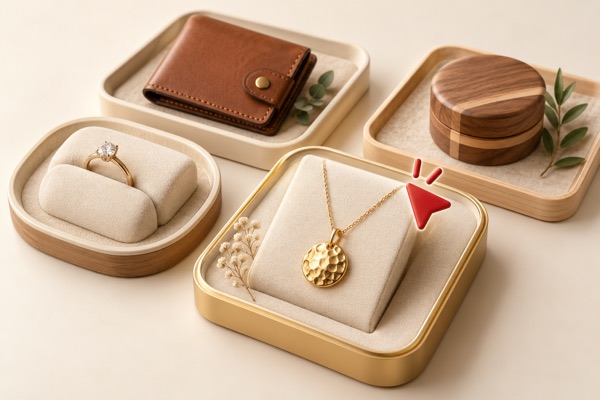
Choosing products for your store starts with understanding why someone would buy them. A customer looking for a specific wallet is making a different decision from someone searching for an anniversary gift with no product in mind.
Before filling your store, connect three things: what your buyer is looking for, what you can personalize or produce, and what you can confidently promise when an order arrives.
1. Start with the buyer, the occasion and the platform
Think about two different starting points for a purchase:
- The buyer knows the product: they may search for a men’s leather wallet, a gold name necklace or a wooden console table. Your listing needs to help them compare the details that matter, such as material, dimensions, personalization, price and delivery.
- The buyer knows the recipient or occasion: they may search for an anniversary gift, a gift for him, a gift for her or a gift for grandma. They still need to decide what to buy. Show why the product fits that person or occasion and how personalization can make it meaningful.
Occasions deserve attention when you plan a range. The same product might suit several occasions, but the example name, message, photograph and presentation should make the intended gift easy to understand. Avoid filling a listing with unrelated occasions just to cover more searches.
Research how buyers browse the platform where you plan to sell. Explore its search suggestions, categories and relevant listings. Read customer questions and reviews for clues about what buyers need explained. Note whether the first image makes the product and its personalization clear, and how price and delivery information are presented.
Use what you observe to choose a focused starting range. A product that fits your buyer and platform gives you a clearer starting point than a large collection chosen only because it is available.
2. Research the platform, then explore production catalogs
Turn your research into a short product brief: who it is for, the occasion or everyday use, the product type, the intended personalization and the price range you want to offer.
Then explore production partners’ catalogs with that brief in mind. Ask two separate questions: which existing products can I personalize and sell, and which ideas could I design and have produced?
For an existing item, check the available material, dimensions, variations and personalization area. For your own design, find out what drawings or files are needed, whether the design can be produced and what preparation work is involved.
Check that the product and listing meet your chosen platform’s current requirements. Compare the full cost of the version you would sell, including personalization, related components, packaging and shipping where applicable. A catalog starting price is not necessarily the cost of your finished offer.
3. Match the product to the personalization
Decide what your buyer should be able to change, then check whether you or your production partner can deliver it on that specific item.
- Names, dates and messages: confirm the supported method, text area, fonts and length limits.
- Photos or illustrations: check the required file format, image quality, cropping and suitable application area.
- Product options: confirm which sizes, materials, colors, stones or other choices are actually available for the model.
A piece suitable for engraving is not automatically suitable for printing. A font that looks good engraved on a bar is not automatically suitable for a cut name necklace. Confirm the method and test the result rather than offering every option on every product.
If you will personalize the item yourself, check your equipment, materials and capacity. If a partner will do it, agree on the files, instructions and checks they need from you. Review a sample of the version you intend to sell before preparing the listing.
4. Make each buyer choice clear
Write instructions that tell your buyer exactly what to select and what to send. Make the text, images and option names agree with one another.
- Text: show where to enter the name, date or message. Explain any character limit, line breaks and whether uppercase and lowercase letters will be used as entered.
- Fonts: use consistent names or numbers. Show the uppercase letters, lowercase letters and numbers in a readable chart, with example names on the product.
- Images: explain how to provide a photo or design, what quality is needed and how cropping or placement will be handled.
- Other options: label sizes, materials, colors and related components clearly. Show what is included and what costs extra.
Do not leave a buyer to guess whether a number refers to a font, a color or a product size. Walk through the listing as if you were placing the order yourself. Could you provide everything needed without sending a follow-up message?
5. Check processing times before making a delivery promise
An occasion gives the order a deadline. Before promising that a gift will arrive in time, confirm your production partner’s processing time for the exact product and personalization.
Check what the processing time covers, when it starts and whether it is stated in working days. Ask about design preparation, missing buyer information, sample approval where needed and busy-season capacity.
Keep production and preparation time separate from the carrier’s estimated delivery time. Include any work you will do yourself before dispatch, and check the shipping options for the buyer’s actual destination.
Make the same distinction in your listing and customer messages. An estimated delivery date is not a guaranteed arrival date. If the buyer needs a gift for a particular day, check the full plan before promising it will arrive in time.
Bring your product brief to JetShipper
Once you have a clear buyer, product idea and personalization plan, we can discuss the production options with you. Jewelry production is our specialty. You can explore existing models or bring your own design, then confirm the supported options and timing before listing.
For a closer look at lettering, read our guide to choosing fonts for jewelry.